Batches
The list
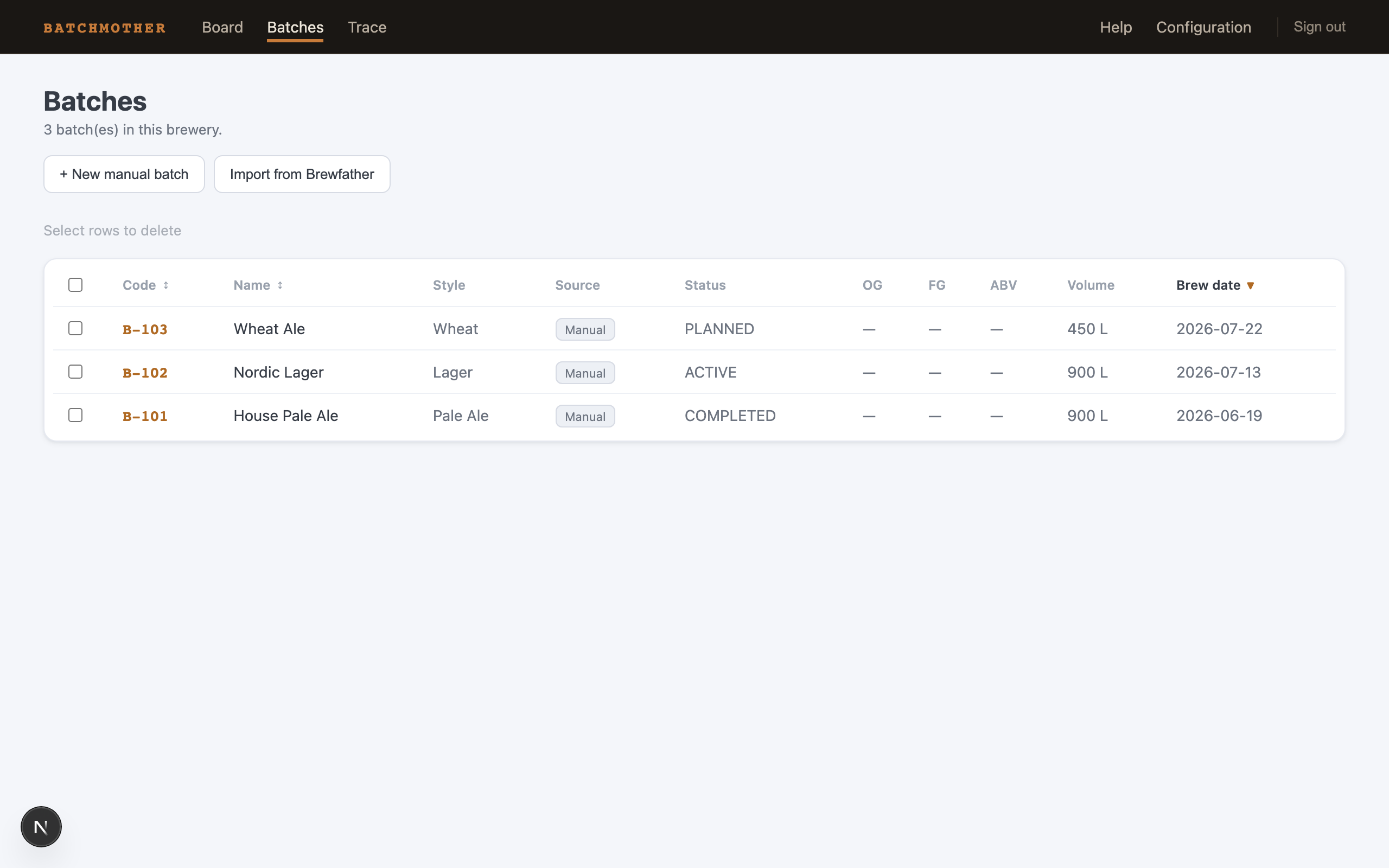
Batches is the registry: every batch with its code, name, style, status, and brew date. Sort by clicking the column headers. Row checkboxes allow bulk deletion — that is the hard-delete escape hatch for genuine mistakes (a batch created twice), not the normal lifecycle; a finished batch simply becomes completed, a dumped one discarded.
Two buttons open panels right here:
- + New manual batch — code, name, style, volume per turn, turns, fermentation/conditioning days, planned brew date. The plan facts power the chain suggestion, so the more you fill in, the better the suggestion.
- Import from Brewfather — once connected (Configuration), pick batches from the list; already-imported rows are grayed. Re-importing refreshes the recipe facts and never touches your planning.
The batch page
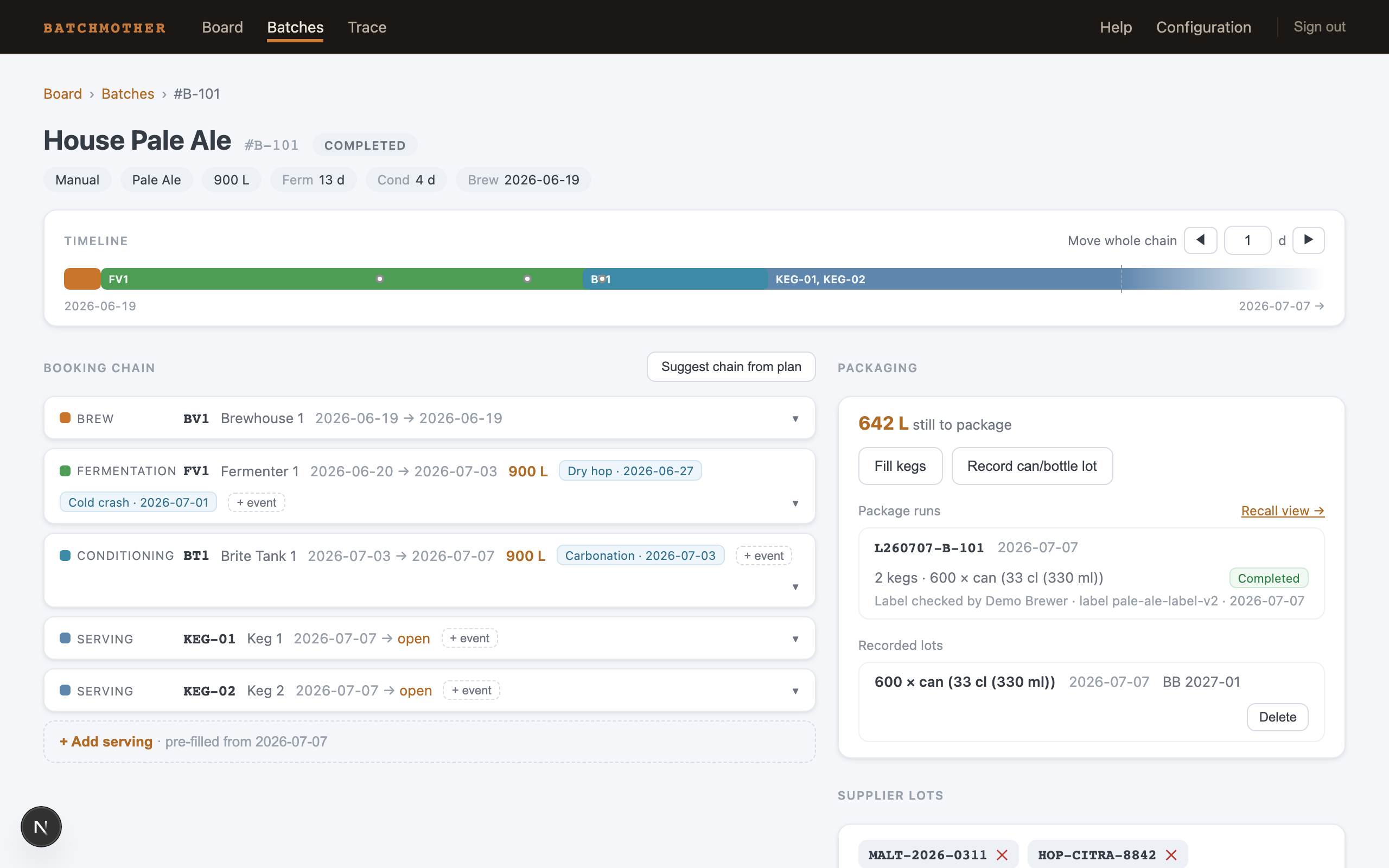
The header states the facts — status, source, style, volume (turns × per-turn), planned days, brew date — and the mini-timeline draws the chain in one line. Move whole chain ◀ ▶ shifts every booking and event by whole days, all-or-nothing: if any part would collide with another batch, nothing moves.
The booking chain
The chain is the batch's life as an ordered list of bookings. Each row: stage, vessel, dates, volume, and its events. You can:
- Suggest chain from plan — Batchmother proposes the whole chain from the batch facts: brew day(s), a fermenter that fits (or several, when the batch is bigger than any one tank), conditioning in a free vessel of your default type, events on their recipe days. Review, adjust, create all at once.
- Add bookings by hand — the form pre-selects the next stage, seeds dates from the previous booking's end, and interlocks Start / Duration / End so typing any one adjusts the others. Only vessels that are free and the right type for the stage are offered; occupied ones are listed with when they free up.
- Add events — each stage offers its valid events (dry hop and cold crash during fermentation; carbonation from conditioning on, with an optional duration). Dates default to counting from the booking's end, the way brewers think ("dry hop 4 days before the end").
- Close open bookings — a serving keg has no planned end; when it comes back, mark it returned and the open tail becomes exact history.
Deleting a booking is allowed while planning — but not if it is a keg fill belonging to a completed package run (see below).
Packaging
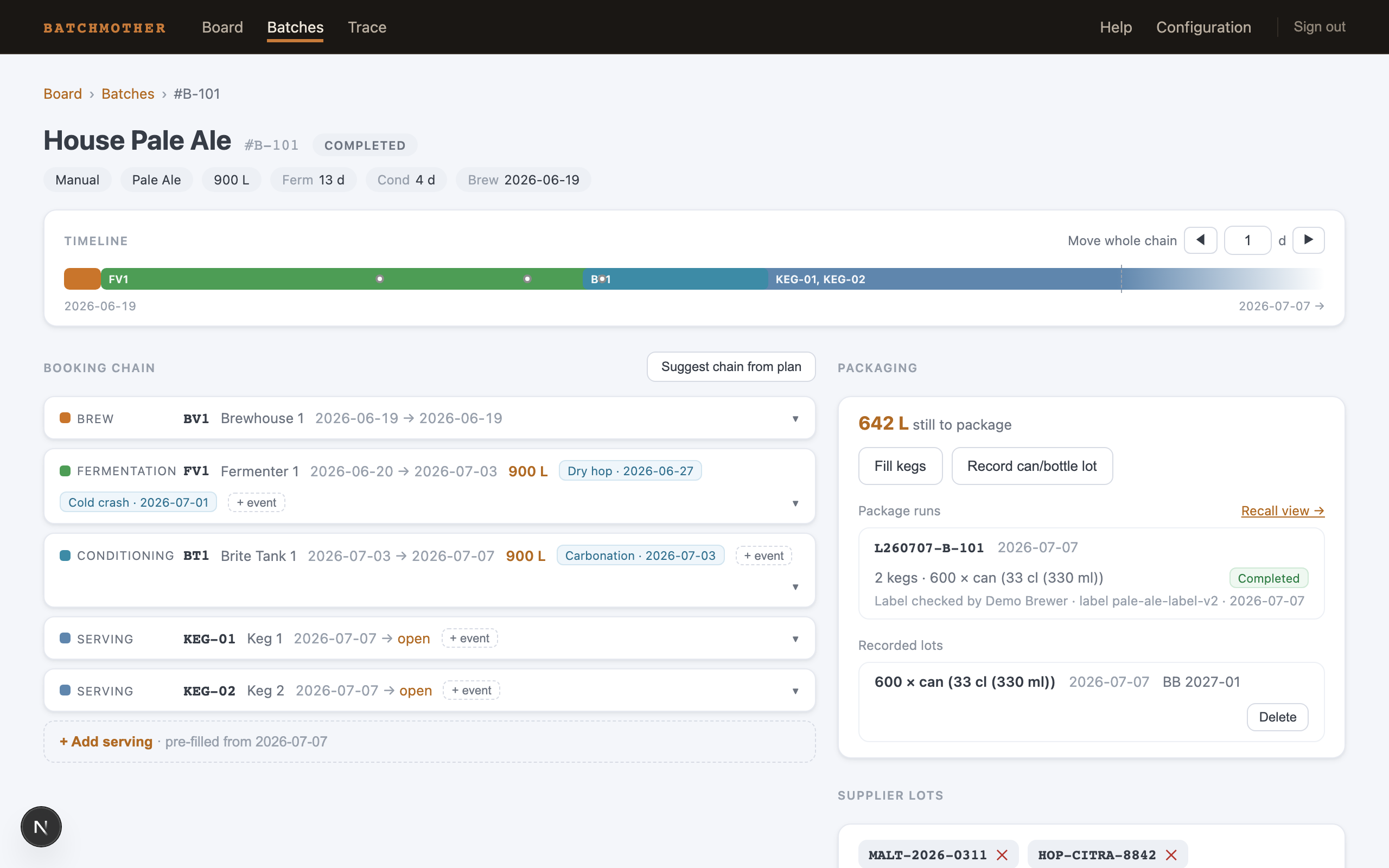
The Packaging card leads with the number that matters: litres still to package (total volume minus filled kegs and recorded lots).
- Fill kegs — tick free kegs and a date. Each fill books the keg to the batch until returned.
- Record can/bottle lot — format, size (from your configured list, with a suggested quantity from the remaining litres), quantity, date. The Best-before / label text field is exactly that — free label text; the identity lives in the L-code.
The first fill or lot on a given day starts an open package run with its generated L-code; everything else you package that day joins the same run. When the day's packaging is done, press Complete… — name, label version, checklist ticks, packaging-material lots — as your trace level requires (Trace & recall has the details). A completed run is journal: its kegs and lots can no longer be deleted one by one, so a printed L-code always traces to its records.
Supplier lots
The Supplier lots card holds the batch's ingredient lot numbers — malt, hops, yeast — as free text. This is the "one step back" of traceability: the link into your suppliers' own paperwork. At the Attest and Checklist trace levels, a run cannot complete until the batch carries at least one.
Next: Trace & recall — what all of this buys you.