The Board
The board is home. It has two views of the same plan — Timeline answers does it fit?, Agenda answers what do I do today? — switched with the toggle next to the title.
Timeline
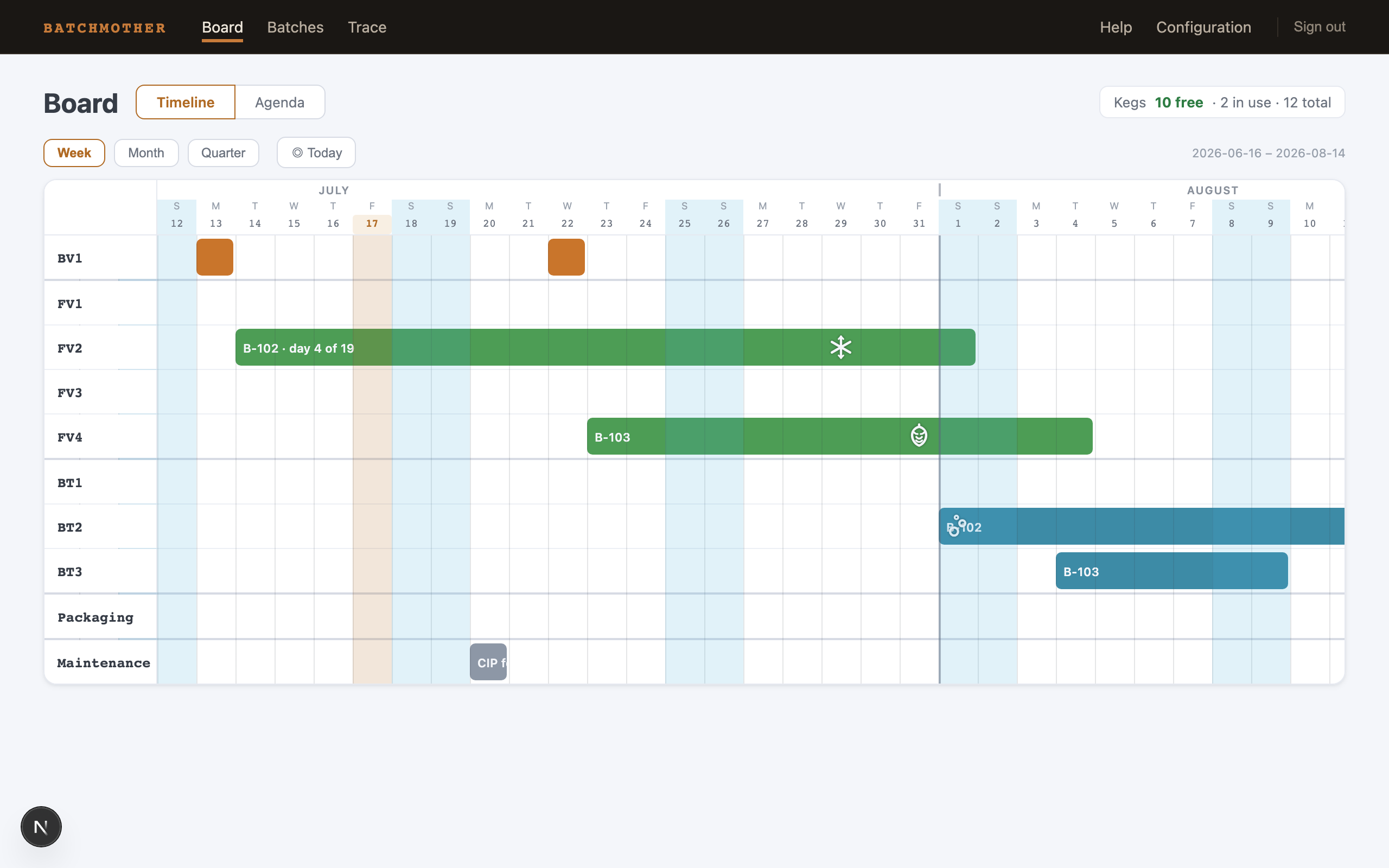
Rows
One row per vessel, grouped top to bottom: your brew slots (Turn 1, Turn 2, … — one per brew you can run in a day), fermenters, brite tanks, a Packaging row, and a Maintenance row. Kegs stay out of the row list — they are a pool, summarized in the header chip (free · in use · total) — but a keg borrowed as a conditioning vessel gets a temporary row while it holds a batch. A deactivated vessel that still carries bookings stays visible, marked inactive, so history never hides.
Bars
A bar is a booking, colored by stage: amber-brown for brew days, green for fermentation, teal-blue for conditioning, purple-tinged markers for packaging. Serving bars are striped so a keg holding beer never reads as a conditioning tank. The bar label is the batch code; hover for the full story (name, stage, dates, volume). A rounded bar end is a real start or end; a square end means the booking continues outside the visible window; an open serving booking fades out instead of ending.
Symbols on the bars are events: a hop cone (dry hop), a snowflake (cold crash), rising bubbles (carbonation). The Packaging row shows what was packaged as glyphs — keg, can, bottle, or a carton when formats mix.
The calendar through everything
The date structure draws over the bars, so you never lose the calendar: thin day lines, tinted weekend columns, month boundaries, and today as the amber column. Clicking ◎ Today brings it back into view; the default view anchors today a few days in from the left edge.
Zoom
Three densities: Week (day-level work, the default), Month (planning a few batches ahead), Quarter (the long shape of the season).
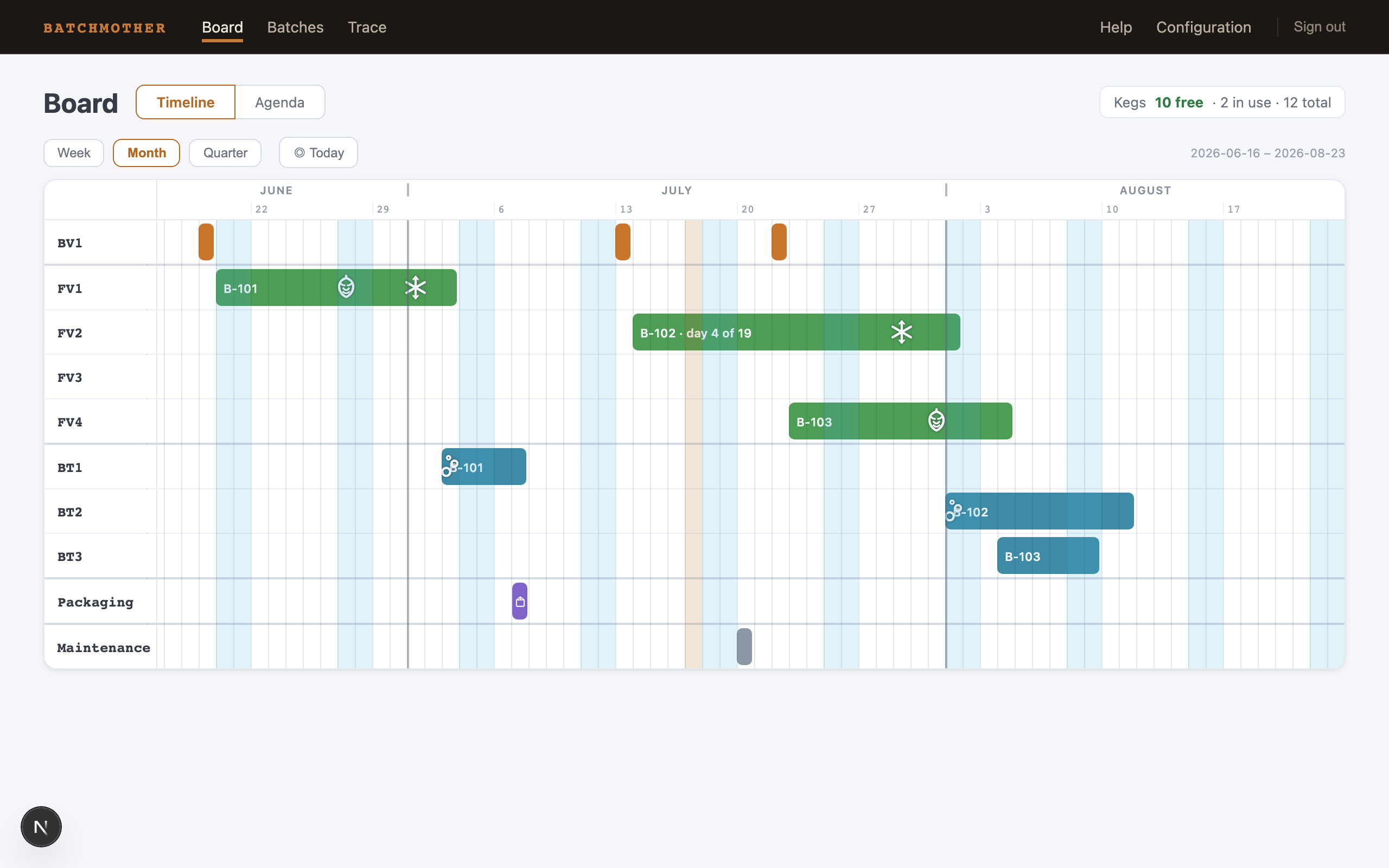
Selecting a batch
Click any bar and the batch's whole chain lights up across all rows, with a panel showing the chain end to end — every booking, event, and packaging output — plus a link to the batch page. Hovering previews the same highlight. Click anywhere else to dismiss.
Agenda
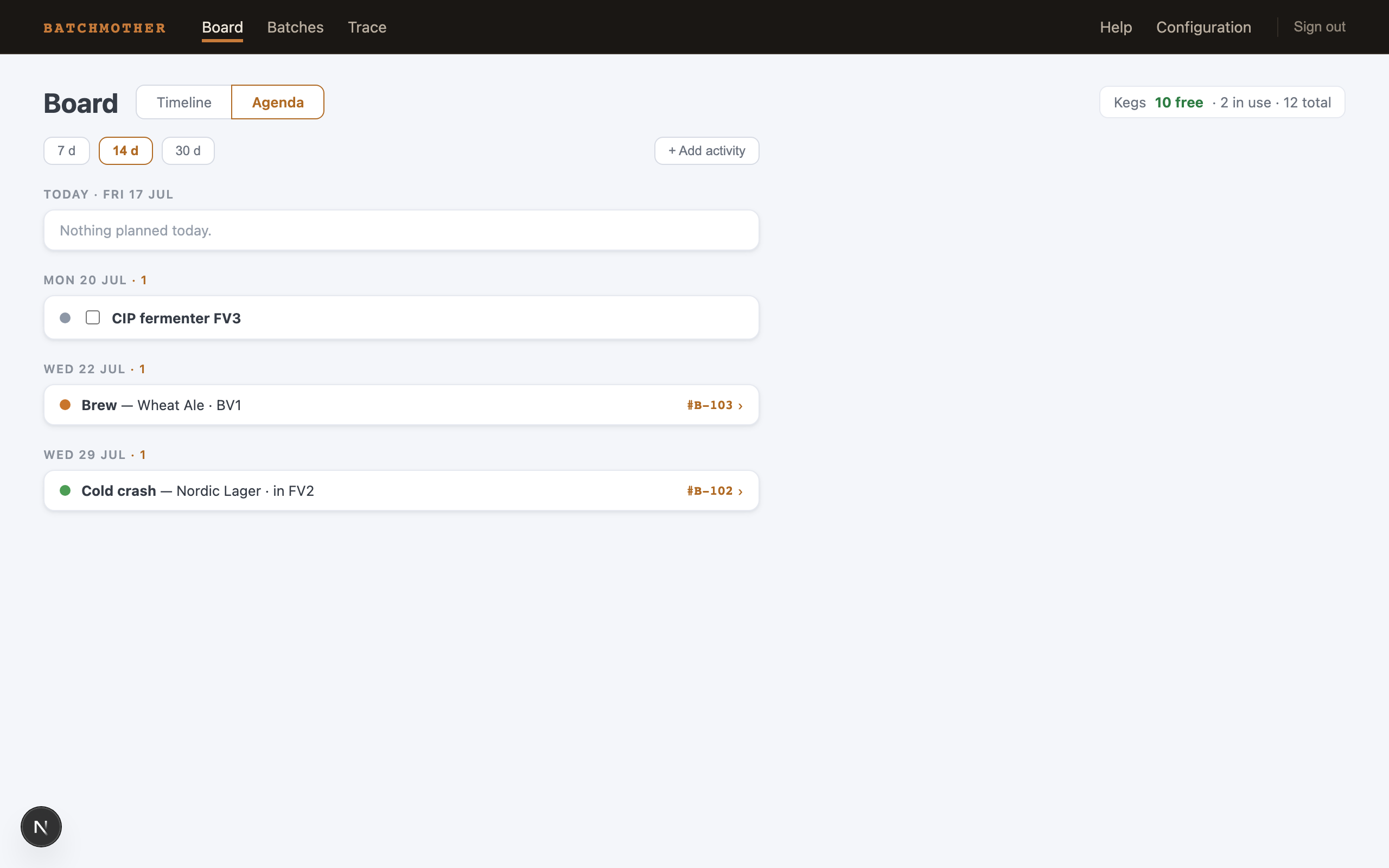
The same plan, folded into a work list grouped by day. Batchmother derives the activities from the chains — you never enter them separately:
- Brew — a brew day, multiplied by turns
- Transfer — beer moves into a fermenter or conditioning vessel
- Dry hop / Cold crash / Carbonation — events on their days
- Package — a packaging day, with what leaves
- Tap — kegs going into service
- Decision needed — a chain ends with nothing after it; the beer needs somewhere to go
Under Today, an empty day says so — an honest "nothing planned".
Maintenance to-dos
Free activities that belong to no batch — a CIP, an ingredient pickup, a repair — live here too. Add one with + Add activity (title, date, duration), tick it off when done; overdue items gather in their own group at the top. On the timeline they render on the Maintenance row in neutral gray: visible, but never confusable with beer.
The horizon chips (7 / 14 / 30 days) set how far ahead the agenda looks.
Next: Batches — where chains are made and edited.