Trace & recall
The point of everything the other chapters describe is this chapter: when something is wrong — a bad can in a customer's hand, a suspect ingredient lot, a stalled fermentation — you can answer what, where, and how much in minutes, in both directions.
The trace level in daily work
Set on Configuration → Traceability, the level decides how much ceremony a package run needs before it can complete. The gate is enforced by the server when you press Complete run — it is a rule, not a grayed-out button:
- Off — the run completes with whatever you filled in. No gates. L-codes are still generated, so even tuning-phase history keeps its identity.
- Attest — the run refuses to complete without a label check: your name and the label version you checked, plus at least one supplier lot on the batch. Miss one and the error tells you exactly which.
- Checklist — as Attest, plus every item on your label checklist must be ticked. Anything unticked is named in the error. The ticked items are frozen into the run as a snapshot — editing the checklist next month never changes what this run was checked against.
Changing the level is never retroactive: old runs keep the status they were completed with.
Unverified
A run completed without a label check (normal at Off, voluntary checks are welcome) carries a quiet unverified badge wherever the run appears. It is not an error — it is your history being honest about which era it comes from.
Trace lookup
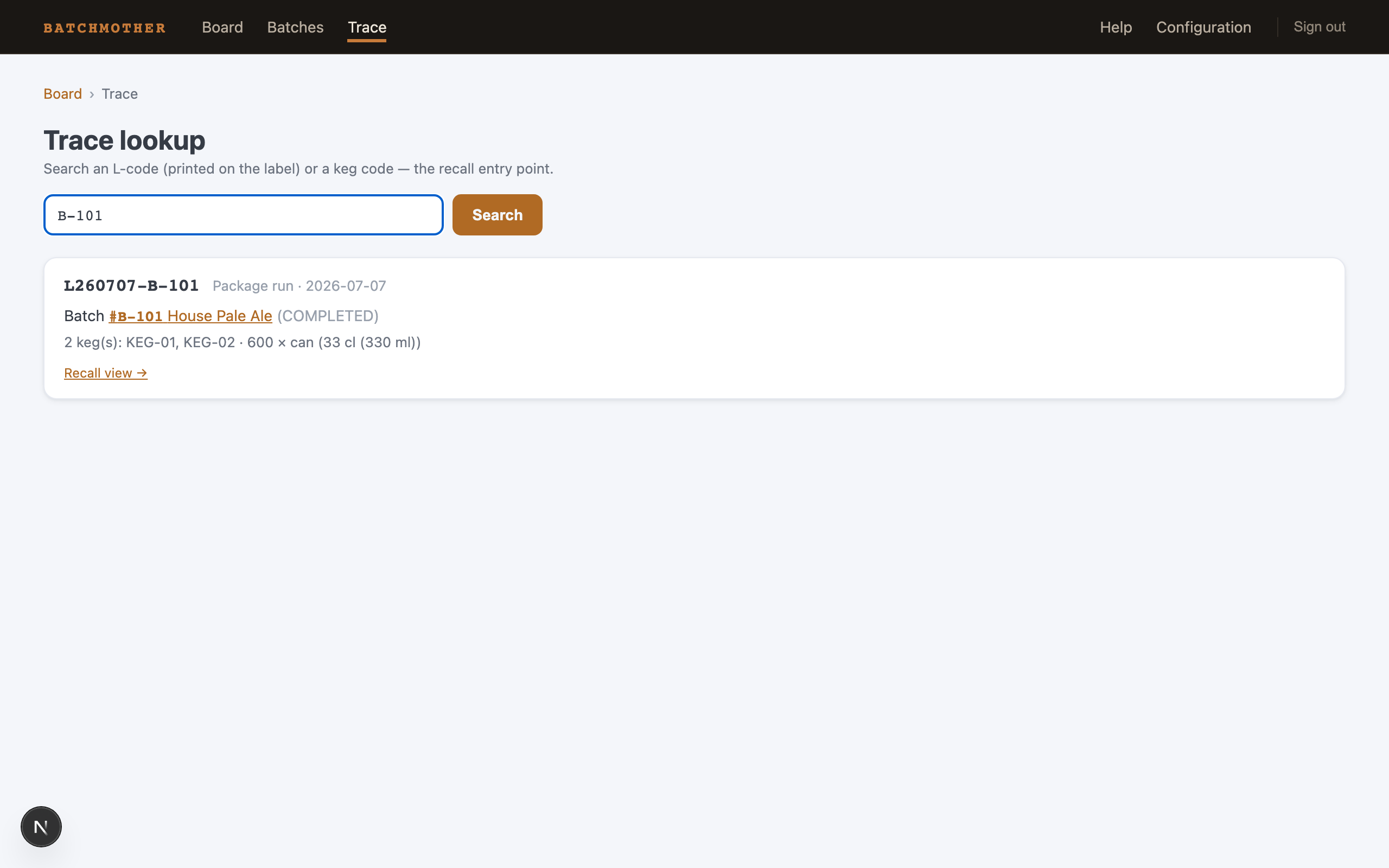
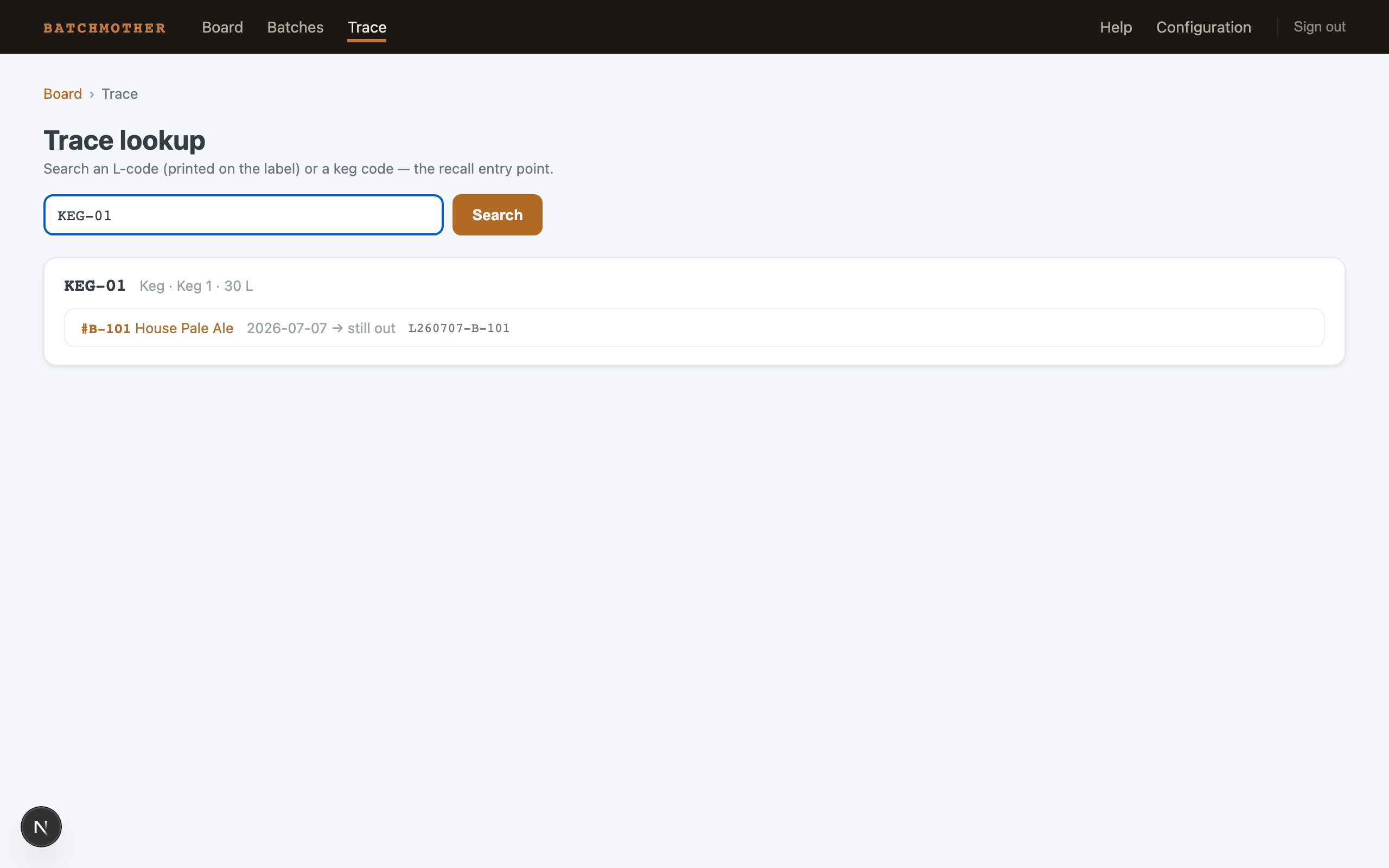
Trace in the nav is the recall entry point. Search:
- An L-code (
L260707-B-101) — from a label in the world back to the batch: the run, its kegs and lots, and links to the batch and its recall view. Case doesn't matter, and a partial code works. - A keg code (
KEG-01) — the keg's whole life: every batch it has held, with fill and return dates, newest first, each linked. A keg that is out says still out.
The recall view
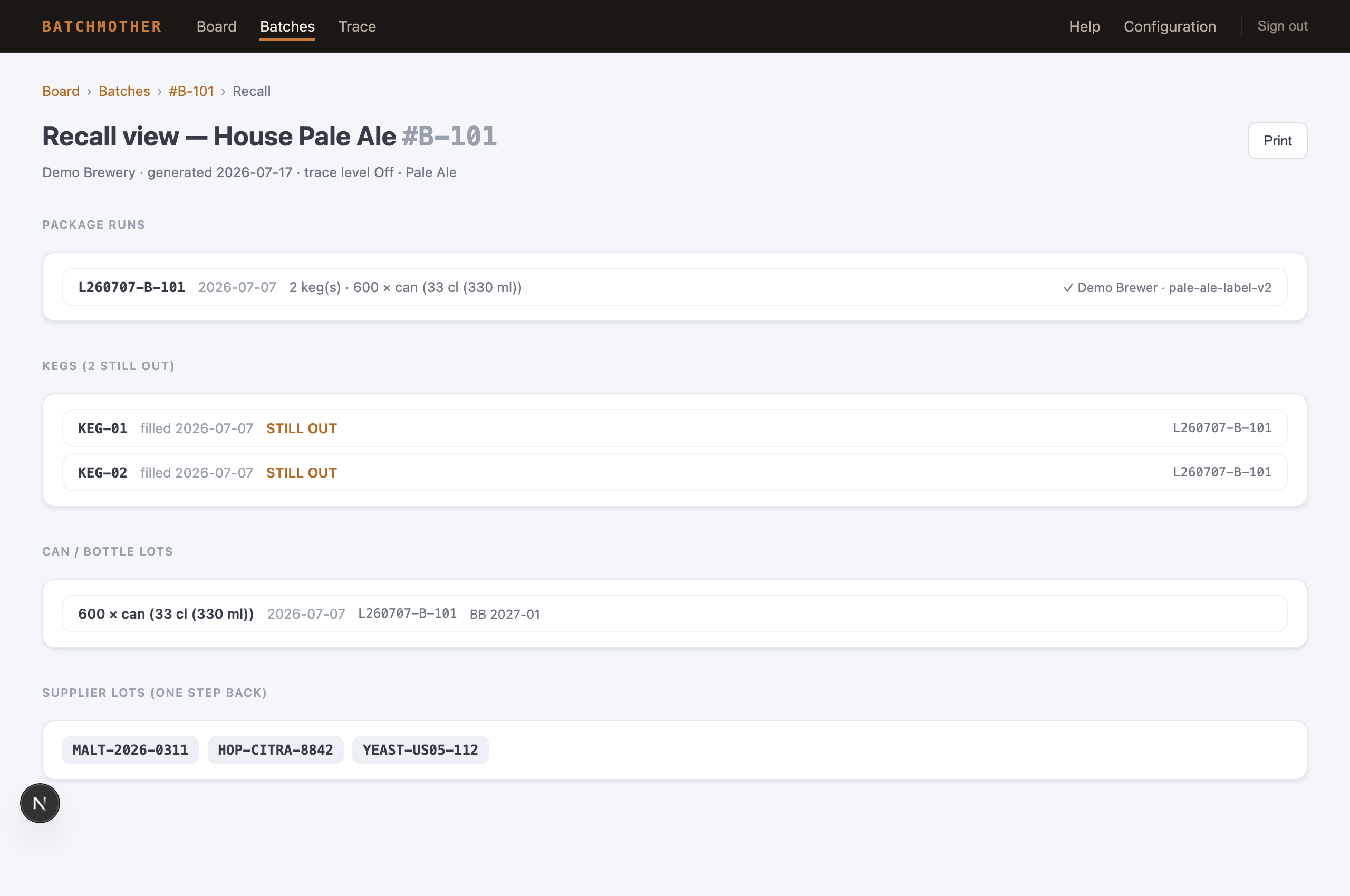
Recall view → on the batch page (and from every trace hit) collects everything that left the brewery for one batch on a single printable page:
- every package run with its L-code, outputs, and label-check status — with a warning banner when any run is unverified
- every keg: filled when, returned when — or STILL OUT, which during a recall is the list of phones to pick up
- every can/bottle lot with its run's L-code
- the supplier lots — so the trail continues one step back into your suppliers' paperwork
Print it, and the app chrome stays off the paper.
Why the journal is strict
Completed runs and their outputs cannot be deleted one by one — a printed L-code must always trace to its records. Filling mistakes are corrected while a run is still open; a genuinely broken batch uses the hard batch-delete, which removes the whole story at once rather than leaving a plausible-looking hole.
Next: Configuration — every setting, including the trace level and checklist.